FTDX1200 Operating Manual Page 55

INTERFERENCE REJECTION Cont'd

Previous Page    Index of Topics    Table of Contents    Index of Pages    Next Page

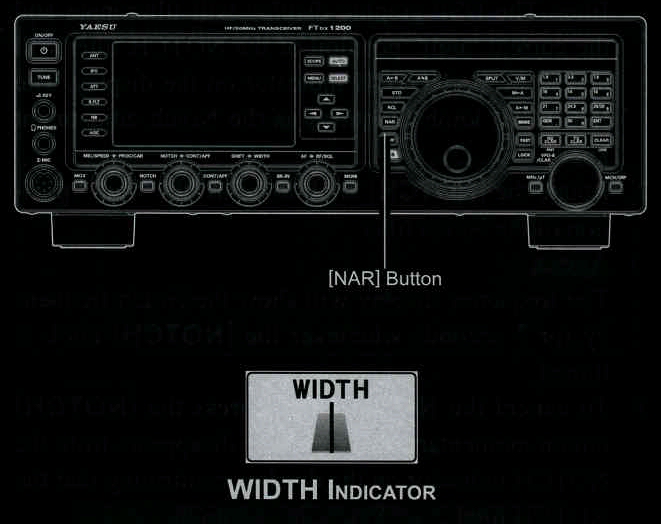
NARROW (NAR) ONE-TOUCH IF FILTER SELECTION

Pressing the [NAR] button provides one-touch, mode-specific, selection of a narrow IF DSP filter setting that does not require resetting the [WIDTH] knob.

Pressing the [NAR] once more returns the bandwidth control to the WIDTH/SHIFT system. The factory bandwidths are:


ADVICE:

When the narrow bandwidth is selected, the "NAR" will appear in the display.

If the "NAR" button has been pressed to engage the narrow filter, you may still adjust the narrow IF bandwidth by rotating the [WIDTH] knob. The IF SHIFT is also operational. For many applications, you may find that simply pressing the "NAR" button instead of adjustment of the "WIDTH" knob, may be satisfactory for interference reduction.

When you press the "NAR" button in the FM mode, both transmit and receive bandwidths are narrowed.


End of "Narrow (NAR) One-Touch IF Filter Selection"

Cont'd Next Page "Interference Rejection"

Previous Page    Index of Topics    Table of Contents    Back to Top    Index of Pages    Next Page

FTDX1200 Operating Manual Page 55